MusicBee Plugin for mIRC
MusicBee
IF YOU DONT CARE ABOUT WHAT HAPPENED AND JUST WANT THE PLUGIN CLICK HERE
So i have recently switched over to the wonderful musicBee ( www.getmusicbee.com ), phenomenal application, nearly amarok for windows :) Some of the features i like:
- Quick search (type in the search bar, library adjusts by searching all available fields intelligently)
- Notifications across MSN and Last.fm and the like
- Fantastic tagging per track and per album
- Downloading of art and lyrics
- Looks good :P
Unfortunately i could not find any for musicBee, so yesterday i took a few hours to figure out how to make one.Let me preface this section by saying the last time i coded C++ was around 5 years ago at university, so i could be horribly wrong for some of this, but i’m just saying what i saw - also if the code is horrid, well, atleast it works :)
mIRC and DLLs
Essentially mIRC communicates with dll's by calling the DLL ( which you specify ), the function within the DLL and some data that is sent from mIRC as per the documentation (mIRC help) the function looks as follows:The routine in the DLL being called must be of the form:
int __stdcall procname(HWND mWnd, HWND aWnd, char *data, char *parms, BOOL show, BOOL nopause)All DLLs also require a sort of reference file that tells mIRC exactly what functions are available like so:
LIBRARY "musicBeePlugin"
EXPORTS
showSong @ 1
* showSong is the function i createdMusicBee and Songs
So after doing that i noticed that musicBee displays the current artist and song within the window title ie: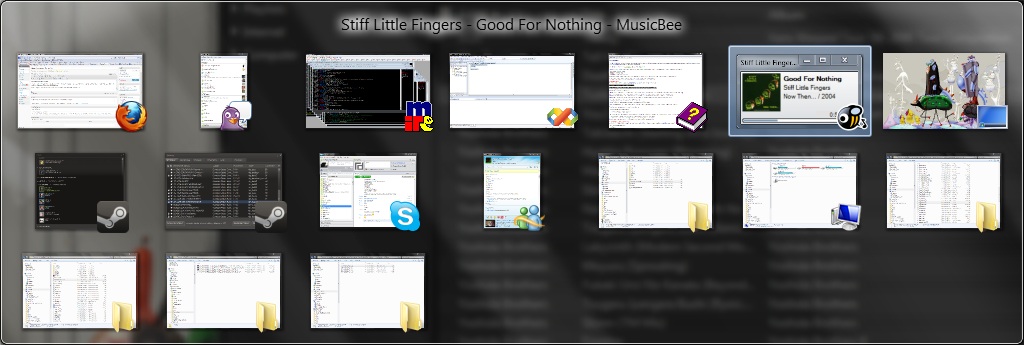
Code
So now i just had to write some simply code to go through all the currently available windows and then find the one that matches "MusicBee". Sure i could have used regular expressions, but i didnt wanna push my very limited C++ skills to get this done by overcomplicating something. None the less the code looks like this:Some of the things that had me stuck:#include <windows.h> #include <string> using namespace std; string finaldata = "";BOOL CALLBACK MyEnumProc(HWND hWnd, LPARAM lParam) { char buff[255]; if (!hWnd) { return TRUE; // Not a window } if (!::IsWindowVisible(hWnd)) { return TRUE; // Not Visible? } GetWindowText(hWnd, buff, 255); string windowTitle = buff; string windowToFind = "- MusicBee"; basic_string <char>::size_type titlePos; titlePos = windowTitle.find(windowToFind); if(titlePos != string::npos) { finaldata += windowTitle.substr(0,titlePos); } return TRUE; }int __stdcall showSong(HWND mWnd,HWND aWnd, char *data, char *parms, BOOL show, BOOL nopause) { EnumWindows(MyEnumProc, 0); strcpy(data,finaldata.c_str()); return 3; }
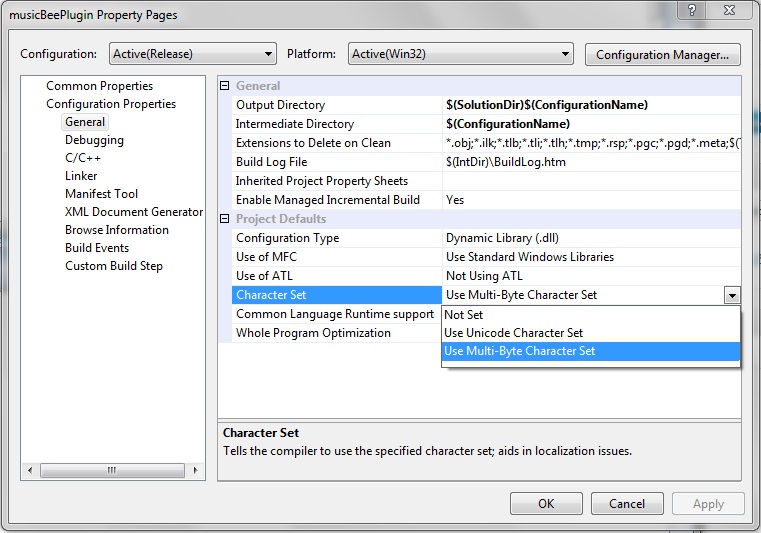
SWITCH YOUR APP TO MULTIBYTE SUPPORT or you cannot use the char within GetWindowText – to do this:
- Select project (not solution)
- Project->properties
- Character set->Use Multibyte Character Set
Download and Use
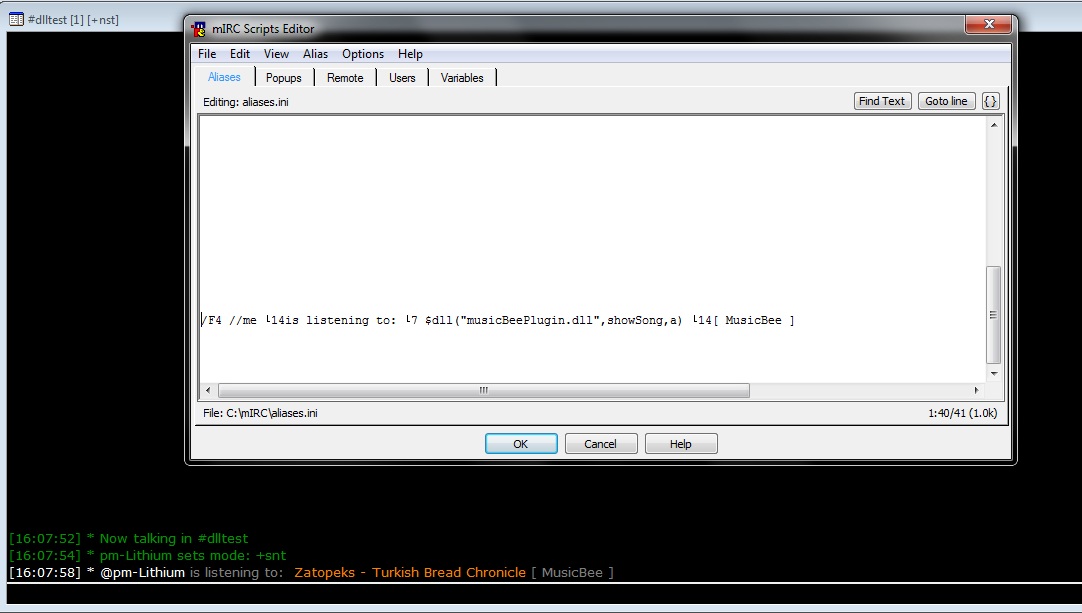
musicBeePlugin for mIRC -- download .zipExtract the above zip into your mirc directory, and add this to the alias file ( alt + r, click Aliases ).
/F4 //me is listening to: $dll("musicBeePlugin.dll",showSong,a) [ MusicBee ]You can then press F4 to have your song playing: